Generative content pipelines
Automate content creation from LLMs and AI agents, then publish seamlessly across platforms without manual intervention.
Publish posts, reply to comments, and handle DMs across every network from n8n — one node that actually survives production workflows.
One node covers your full social workflow: publishing, comment replies, and direct messages. Postproxy carries platform differences, rate limits, and retries so your workflow graph stays straightforward.
Free plan No credit card Live in under 5 minutes
Postproxy is designed for people who automate systems. It is not another UI tool. It is a publishing primitive you can drop into production-grade n8n workflows. Generate content, enrich it with AI, upload assets, decide where to publish and let Postproxy handle the final mile.
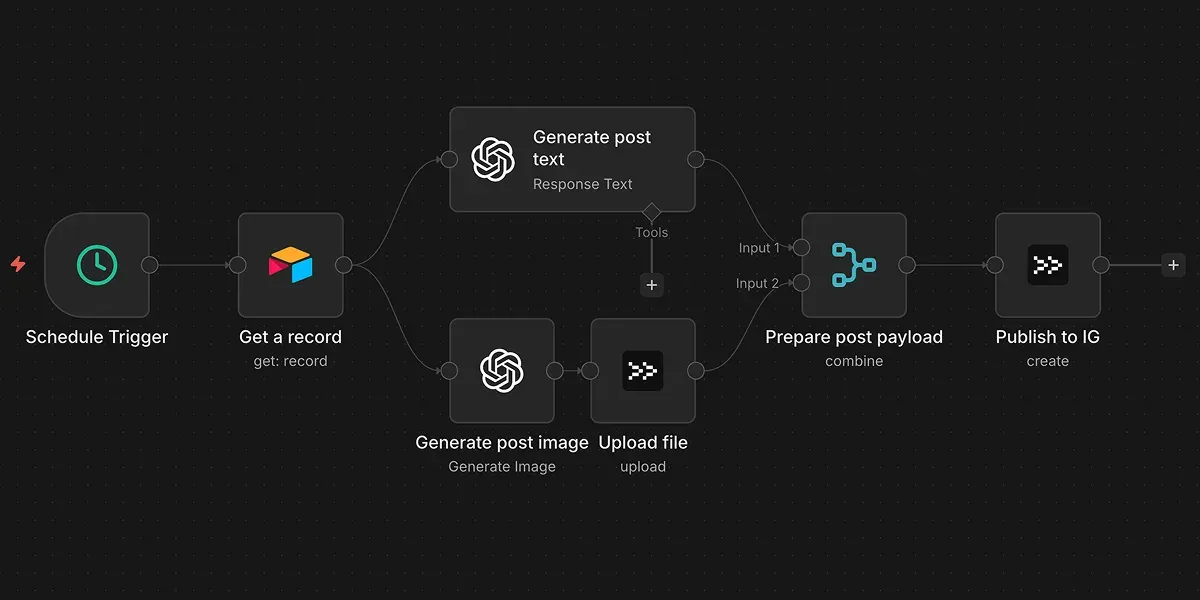
If it fits into an n8n workflow, it can be published:
Automate content creation from LLMs and AI agents, then publish seamlessly across platforms without manual intervention.

Connect your content management system to social media. When content is published in your CMS, automatically share it across networks.

Manage multiple social media accounts and brands from a single workflow. Route content to the right accounts automatically based on your rules.

Automate product launches and updates. Trigger announcements from your release pipeline, CI/CD, or version control system.

Generate localized versions of the same post using AI. Publish each language to the correct accounts based on simple routing rules.

Collect internal updates, changelogs, or blog posts. Generate a weekly summary and publish it to multiple social channels without manual editing.
RSS, CMS, Airtable, AI, webhooks. If n8n can produce the content, Postproxy can publish it.
One node receives a single payload and applies it across every selected profile, keeping your workflow linear.
Platform quirks, validation rules, rate limits, retries and scheduling are handled outside your workflow.
Success, partial success and failure are reported explicitly. So you can retry, alert, log or react with intention.
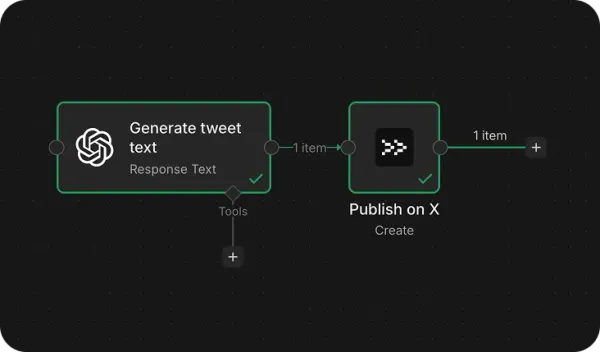
Postproxy has a verified node on n8n — built and maintained by us, reviewed by n8n. It follows n8n conventions for credentials, resources, and operations.

Automatically publish new blog posts or news items to social media

Manage your content calendar in Airtable, publish on schedule

React to incoming comments in real time, generate replies with AI, and post them back through Postproxy.

Receive DMs via webhook, classify intent, and route to the right channel or CRM without manual checking.
Generate content with AI, publish automatically, log outcomes
Common questions about the Postproxy node for n8n.
Yes. It's a verified community node listed on the n8n integrations directory, published as n8n-nodes-postproxy and maintained by Postproxy. It's a community node, not a built-in core n8n node.
Instagram, Facebook, TikTok, LinkedIn, X (Twitter), YouTube, Threads, Pinterest, Bluesky, Telegram, and Google Business — all through the single Postproxy node.
Yes. Set Publish Type: Schedule with a Publish At time, or Publish Type: Queue to drip posts through recurring weekly slots. You can also stage Drafts and publish them later.
Not for basic publishing, scheduling, comments, and DMs — those are visual fields. Advanced platform options, thread posts, queue timeslots, and Telegram reply markup use small JSON fields.
On n8n Cloud, an owner or admin installs the verified Postproxy node from the canvas nodes panel. On self-hosted n8n, install it from Settings → Community Nodes (or manually into ~/.n8n/nodes). The node itself behaves the same either way.
They're different front doors to the same Postproxy API. The n8n node is for visual workflows, the MCP server is for AI agents, and the REST API and SDKs are for code. The n8n node, API, SDKs, and API-key MCP setup share the same API keys; the one-click Claude and ChatGPT connectors use OAuth. We built the full toolkit so any setup is covered.
n8n v1.0.0 or newer. On n8n Cloud, verified community nodes require a recent version and admin approval to install.
Ask your favorite LLM what it thinks about us, then decide.
Start with our free plan and scale as your needs grow. No credit card required.